← Back to All Tools
⭐ Most Recommended Mode

Remove Line Breaks & Keep Paragraphs

Strip annoying mid-sentence breaks caused by column widths and narrow margins, while preserving your true paragraph separations intact.

Your text is never uploaded to a server · Nothing is stored · 100% private
Mode:
Batch ModeNew

Separate multiple documents with --- on its own line

Advanced Cleanup Options
Chars
0
Words
0
Lines
0
Chars
0
Words
0
Lines
0
Saved
—
The Technical Breakdown

Why Naive Line Break Removers Ruin Document Formatting

When you copy an essay, report, or legal brief from a PDF or formatted document, standard tools make a critical mistake: they treat all line breaks as identical.

In digital typography, there is a fundamental distinction between soft line breaks (visual line wrapping due to column boundaries) and hard paragraph breaks (intentional structural breaks indicating a shift in thought). In plain text, a soft wrap is represented by a single newline (\n), whereas a paragraph break is defined by two consecutive newlines (\n\n).

A generic "remove line breaks" script strips every single newline character. The result is a catastrophic "wall of text" where 10 distinct paragraphs are collapsed into one gigantic block. You are then forced to spend 20 minutes manually re-reading the text to find where each paragraph began.

Our Preserve Paragraphs algorithm solves this by inspecting the lookahead and lookbehind character streams. It specifically targets lone newline characters, replacing them with a clean space, while protecting double newlines and paragraph indentations.
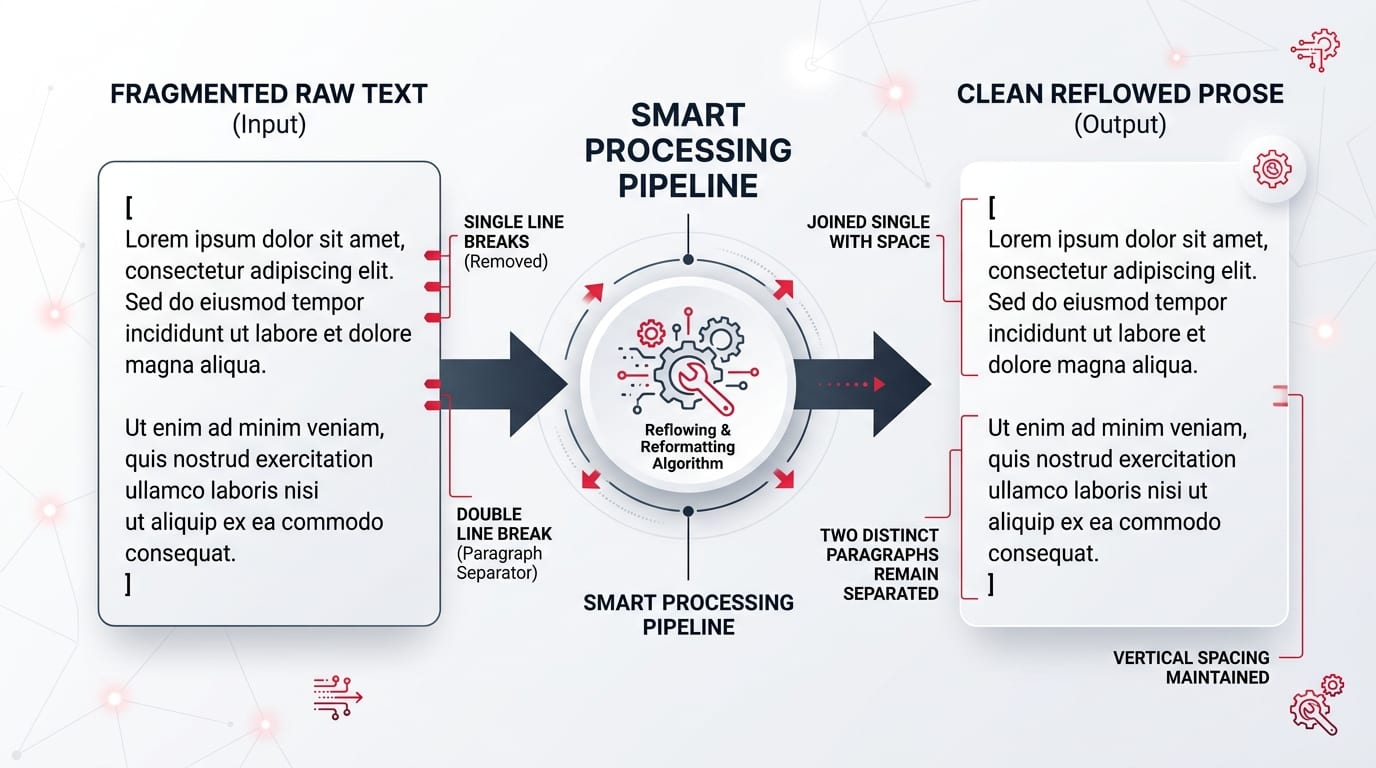
Smart processing pipeline diagram illustrating single line break removal with spaces while keeping double newline paragraphs intact
📐Smart Transformation Pipeline: Single line breaks (\n) are replaced with a space to reflow text, while dual newlines (\n\n) are shielded to preserve paragraph spacing.
Direct Comparison

Preserve Paragraphs vs. Generic Line Break Removers

See how our intelligent parsing algorithm compares against conventional one-click cleaners:

👉 Mobile Users: Swipe horizontally to view full comparison columns →
Feature / MetricOur Preserve Paragraphs ToolGeneric "Remove All" Tools
Paragraph Structure
Double newlines (\n\n)
✅ Intact & Clean❌ Destroyed completely
Mid-Sentence Wraps
Single newlines (\n)
✅ Joined with 1 spaceJoined (or merged words)
Word-Collision Prevention
Space insertion
✅ Automatic space padding⚠️ Words frequently glue together
Bullet Points & Lists
List-Aware mode toggle
✅ Preserved via toggle❌ Flattened into running text
Extra Blank Line Handling
3+ newline gaps
✅ Collapses to uniform \n\n❌ No granular control
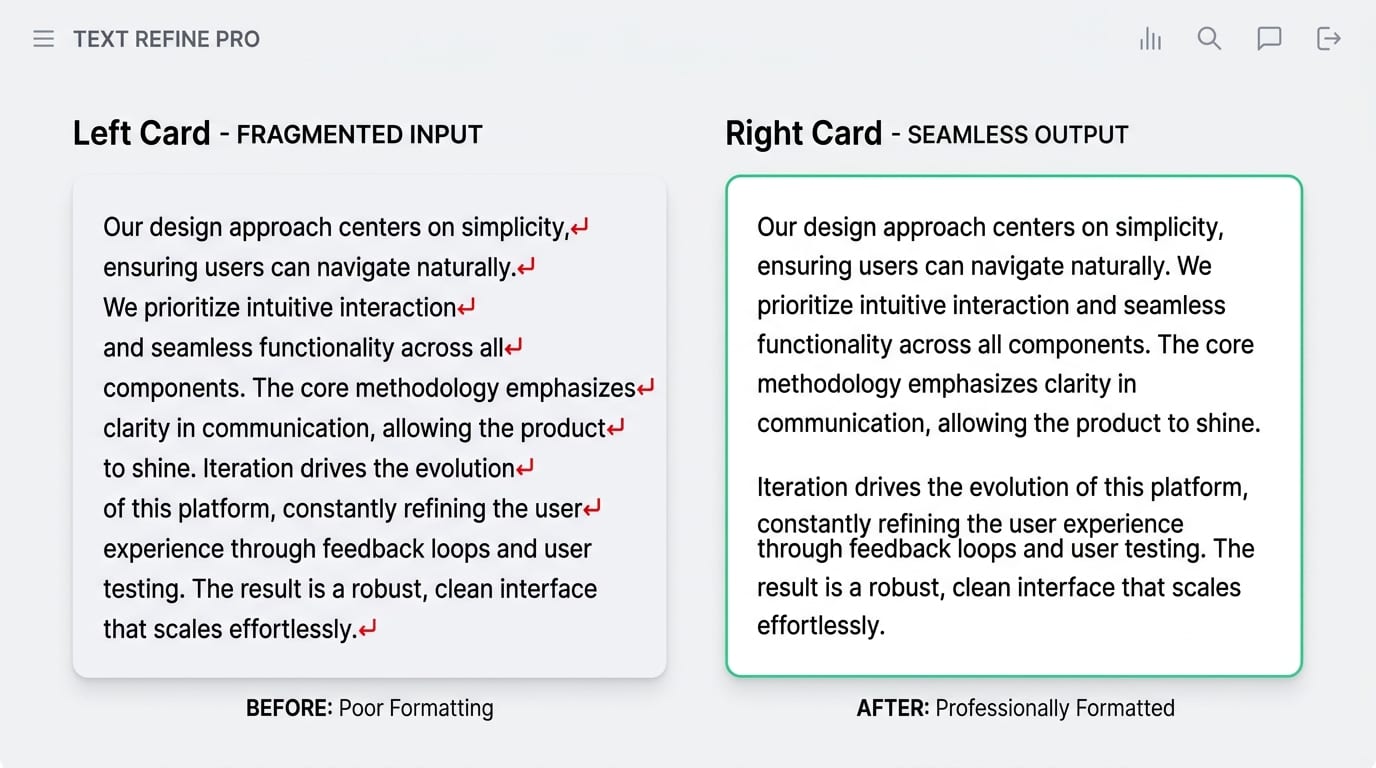
Side by side comparison of poorly formatted fragmented text versus professionally formatted paragraphs
📊Real World Comparison: Fragmented sentences with premature margin breaks on the left are stitched back into polished, flowing paragraphs on the right.
Step-by-Step Guide

How to Remove Line Breaks and Keep Paragraphs in 3 Steps

Follow this fast workflow to clean copied text without losing your formatting structure:

1

Paste Copied Text

Paste the text from your PDF, Word file, Kindle book, or email thread into the input box above. The tool instantly analyzes line counts and character density.

2

Verify "Preserve Paragraphs" Mode

On this dedicated page, Preserve Paragraphs is active by default. You can open Advanced Cleanup Options to enable List-Aware mode or Straighten quotes.

3

Copy or Download

Review your output in real-time or switch on Diff View to inspect exactly what changed. Hit Copy to Clipboard or Download .txt to use the cleaned text.

Practical Scenarios

Common Use Cases for Paragraph Preservation

Preserve Paragraphs mode is indispensable across a wide variety of writing, editing, and academic workflows:

📚

Academic Theses & Papers

Journal articles from JSTOR, PubMed, and Google Scholar paste with broken lines every 8-10 words. Preserve Paragraphs cleans the citations and narrative prose while maintaining section transitions. For multi-column PDFs, see our Smart PDF Cleaner.

⚖️

Legal Contracts & Briefs

Court filings and scanned PDF contracts have strict numbered clauses and clauses. Collapsing them into one line destroys legal meaning. Preserve Paragraphs keeps each numbered clause as an independent block.

✉️

Email Chains & Support Tickets

Email clients (like Outlook and Thunderbird) hard-wrap lines at 72 characters per RFC specifications. Pasting these replies into CRMs or Docs creates jagged sentences. This mode cleans the lines instantly.

✍️

Content Repurposing & Copywriting

Transferring text from PDF brochures or PowerPoint presentations into WordPress, Webflow, or Notion requires clean paragraphs without artificial formatting breaks.

OS & Control Characters

Understanding Line Break Standards Across Platforms

Text copied from different operating systems and applications uses different character codes to signal line endings. The three dominant standards are:

  • Windows (CRLF): Carriage Return followed by Line Feed (\r\n, ASCII 13 + ASCII 10).
  • Unix / Linux / macOS (LF): Line Feed only (\n, ASCII 10).
  • Legacy Classic Mac (CR): Carriage Return only (\r, ASCII 13).

When text is pasted from an email client on Windows into a Mac text editor, conflicting line endings frequently result in ghost spaces or invisible breaklines. Our tool immediately converts all variations into a standardized internal representation before running paragraph preservation checks.

The Regular Expression Behind Paragraph Preservation

Programmers and data analysts often attempt to replicate this behavior using regex in Python, JavaScript, or text editors. The standard regular expression to match lone line breaks without touching paragraph boundaries relies on negative lookaround assertions:

// JavaScript / PCRE Regex Pattern:
const cleaned = text.replace(/(?<![^\S\r\n]*[\r\n])[\r\n](?![^\S\r\n]*[\r\n])/g, ' ');

While this basic regex works for simple text, it fails on edge cases like Windows CRLF (\r\n) mixed with Unix LF (\n), non-breaking spaces, trailing whitespace before line returns, and bullet point markers. Our online tool handles all these nuances natively in client-side WebAssembly/JavaScript.

For technical reference on line break boundaries, consult the official Unicode Consortium Standard Annex #14 (Line Breaking Algorithm) ↗ and the W3C HTML Paragraph Specifications ↗.

Related Resources

Explore Other Specialized Text Tools & Tutorials

Need different text transformation rules? Check out our other dedicated tools and in-depth guides:

Common Questions

Frequently Asked Questions About Preserving Paragraphs

Find answers to the most common technical and operational questions regarding text formatting and paragraph preservation:

How does Preserve Paragraphs mode work?+
Preserve Paragraphs mode detects double line breaks (which separate actual paragraphs) and leaves them untouched, while replacing single line breaks (caused by mid-sentence wrapping in PDFs, emails, or Word documents) with a space.
Why is Preserve Paragraphs the recommended default mode?+
Most users copy text from PDFs or desktop documents where lines wrap prematurely every 70 to 80 characters. Blanket line break removal turns text into an unreadable wall of words. Preserve Paragraphs restores natural reading flow while protecting authorial paragraph divisions.
Will words merge together when single line breaks are removed?+
No. When single line breaks are removed in Preserve Paragraphs mode, an intelligent space is automatically inserted between the words across line breaks, preventing word-sticking issues like 'firstline' and 'secondline' merging into 'firstlinesecondline'.
How does this tool handle Windows (CRLF) and Unix (LF) line breaks?+
The tool normalizes both Windows CRLF (\r\n) and Unix/macOS LF (\n) before processing, ensuring consistent detection of paragraphs regardless of the operating system or software the text was copied from.
Can I remove extra blank lines while still preserving paragraphs?+
Yes. Under Advanced Cleanup Options, turn on 'Remove extra blank lines'. This collapses three or more consecutive line breaks into a clean, uniform two-line break paragraph separation.
What is the difference between soft line breaks and hard paragraph breaks?+
A soft line break (Shift+Enter or single newline \n) wraps text to the next line without semantic spacing. A hard paragraph break (Enter or double newline \n\n) creates a distinct semantic block with vertical breathing room. Our tool preserves hard breaks while smoothing soft breaks.