← Back to All Tools
🔄 Space & Delimiter Converter

Replace Line Breaks with Space

Substitute newline characters with a clean space or custom delimiter. Prevents words from colliding and transforms vertical lists into inline strings.

Your text is never uploaded to a server · Nothing is stored · 100% private
Mode:
Batch ModeNew

Separate multiple documents with --- on its own line

Advanced Cleanup Options
Chars
0
Words
0
Lines
0
Chars
0
Words
0
Lines
0
Saved
—
The Technical Challenge

The "Word Collision" Problem in Plain Text

When people search for how to remove line breaks, the most common trap they fall into is a literal "delete" operation.

Consider two lines of text:

The quick brown fox
jumps over the lazy dog.

In typical document software, there is no space character at the end of the first line. The transition to the second line is governed exclusively by a newline character (\n).

If you use a tool or regex that replaces \n with an empty string (""), the word "fox" and the word "jumps" will fuse into "foxjumps". In a 500-word article, this introduces dozens of spelling mistakes that spell-checkers flag as gibberish.

Replace Line Breaks with Space mode solves this completely by substituting every line break with exactly one space (" "). Even better, our tool includes an automatic space-collapser to ensure that if a line did already end with a space, you won't end up with an awkward double space.
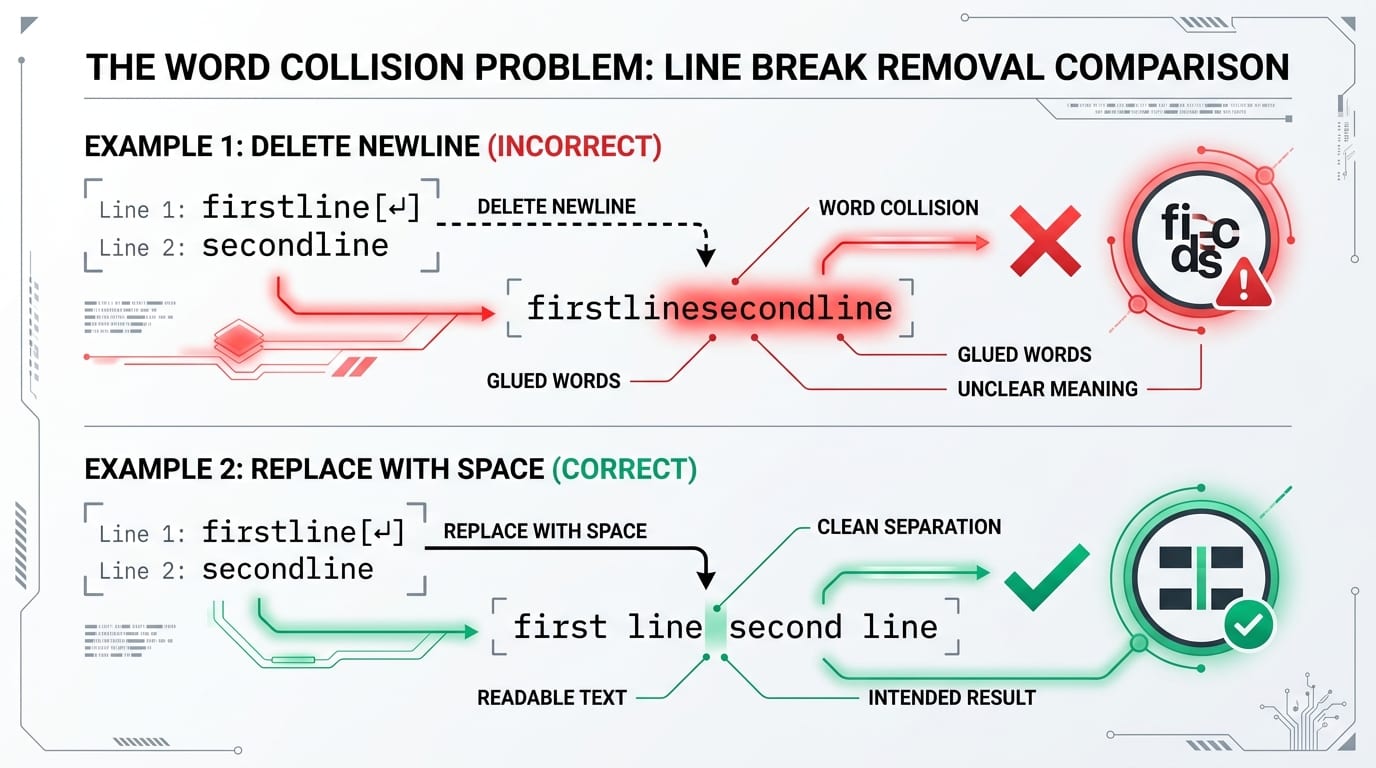
The Word Collision Problem infographic showing why deleting line breaks causes glued words while replacing with space keeps text readable
🛑Word Collision Prevention: Replacing newlines with spaces guarantees that words at line boundaries stay properly separated.
Delimiter Guide

Choosing the Right Replacement Delimiter

While replacing breaks with a space is standard for prose, other delimiters unlock powerful data transformation workflows:

👉 Mobile Users: Swipe horizontally to view full comparison columns →
ReplacementSample OutputBest Suited ForKey Advantage
Space (" ")
Default Mode
Item1 Item2 Item3Prose, essays, paragraphsNatural text flow
Comma + Space (", ")
Custom Delimiter
Item1, Item2, Item3SQL IN clauses, tag listsInstant array syntax
Semicolon (";")
Custom Delimiter
Item1;Item2;Item3Outlook email lists, CSSEmail client compatible
Pipe ("|")
Custom Delimiter
Item1|Item2|Item3Regex OR patterns, MarkdownDirect regex compilation
Empty ("")
Remove All
Item1Item2Item3Base64, hashes, DNA codeZero whitespace
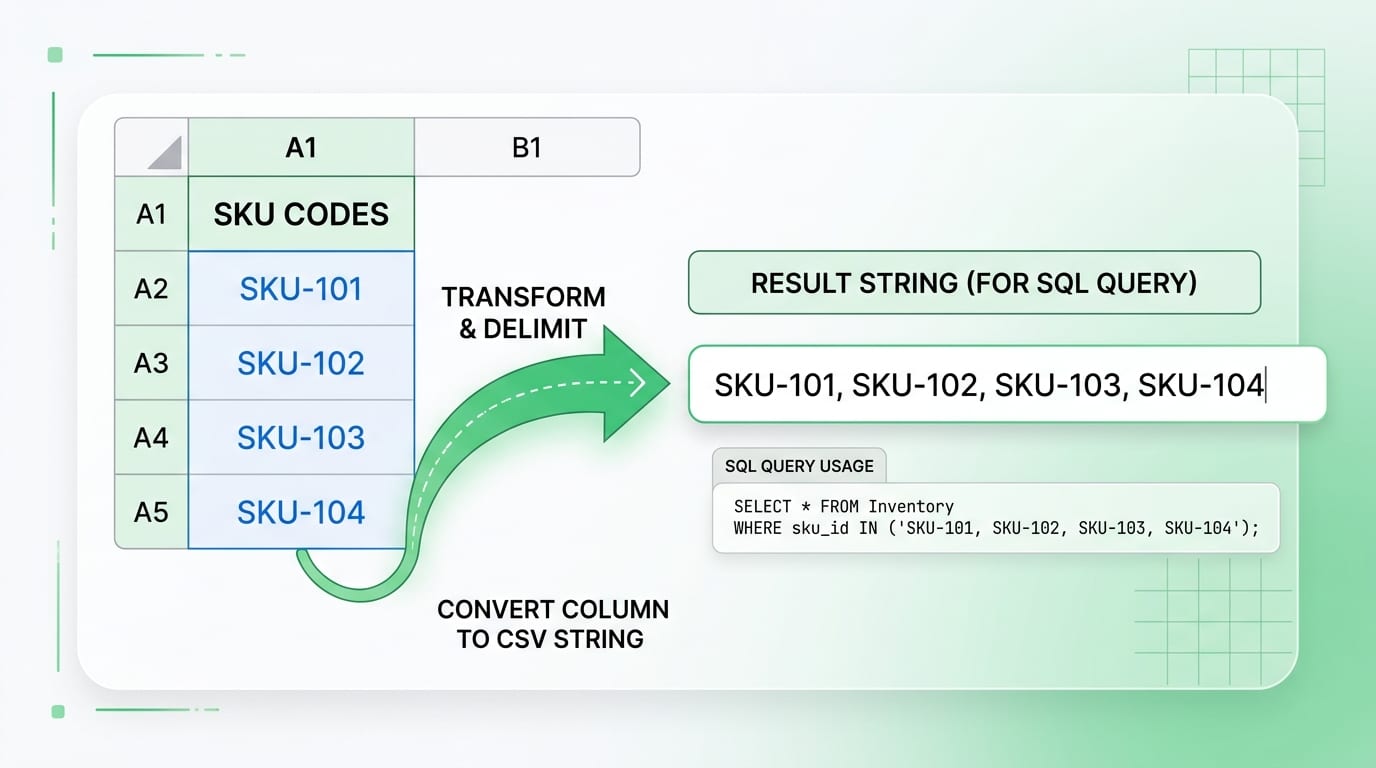
Spreadsheet column of SKU IDs converted into single-line comma-separated array for SQL query
📊Spreadsheet List Conversion: Transforms vertical Excel or Google Sheets columns into comma-separated arrays for database IN (...) queries.
3 Simple Steps

How to Replace Line Breaks with Space Online

1

Paste Your Text or Column

Paste your multi-line excerpt or spreadsheet column into the box above. Character count and line count are displayed instantly.

2

Confirm Replacement Mode

Remove All + Space is pre-selected. If you want a comma or semicolon, select Custom and type your delimiter.

3

Copy Clean Output

Click Copy to Clipboard or Download .txt. Your text is ready to paste into any document, database, or email composer.

Everyday Applications

Where Space & Delimiter Replacement Saves Time

📊

Spreadsheet List Conversions

Copying a column of IDs from Microsoft Excel or Google Sheets into an SQL query like WHERE id IN (...) requires comma-separation. This tool converts vertical rows to commas in seconds. See our guide on Removing Line Breaks in Excel & Google Sheets.

📮

Mailing Lists & CRM Contacts

Email addresses exported row-by-row need to be semicolon-delimited for Outlook and email marketing tools. Replace breaks with ; instantly. Check our Names and Addresses Formatting Guide.

📑

OCR & Scanned Document Cleanup

Scanned text with jagged margin wraps becomes a flowing paragraph without glued words. If you have an academic PDF, explore our specialized Smart PDF Cleaner.

💻

Text Editor / Regex Pipelines

For users of Notepad++, Sublime Text, or VS Code, replacing breaks with spaces avoids complex regex lookarounds. Read more in Notepad++ Regex Line Break Removal.

Common Questions

Frequently Asked Questions About Replacing Line Breaks with Spaces

Find answers to the most common technical and operational questions regarding delimiter replacement and word collision prevention:

Why should I replace line breaks with spaces instead of just deleting them?+
Deleting line breaks without replacement causes adjacent words at the end of line 1 and start of line 2 to merge into a single mangled word (e.g., 'first line' becoming 'firstline'). Replacing line breaks with a single space ensures words remain properly separated and readable.
Can I replace line breaks with commas or custom delimiters?+
Yes. While this page defaults to replacing breaks with a space, you can select 'Custom' in the tool to replace line breaks with commas, semicolons, pipes (|), or any delimiter of your choice to turn vertical lists into comma-separated strings.
Does this tool collapse consecutive multiple spaces?+
Yes. Under Advanced Cleanup Options, enable 'Collapse extra spaces' to automatically consolidate multiple spaces into a single clean space character.
How does this tool help with Excel and Google Sheets?+
Spreadsheet columns copied as text contain a newline after every cell. Replacing line breaks with commas or spaces allows you to instantly convert vertical columns into inline lists for SQL IN queries, CSV arrays, or email recipient fields.
Is my text data stored or tracked anywhere?+
No. All text processing is performed 100% locally in your browser. Your data is never transmitted across the network, stored in cookies, or sent to third-party tracking services.
How do I replace Alt+Enter line breaks in Excel formulas?+
In Excel, you can use =SUBSTITUTE(A1, CHAR(10), " ") to replace soft cell breaks with spaces. But for quick multi-column cleanup, copying the cells into this online tool is much faster and handles both CHAR(10) and CHAR(13).