
Why Does Text Copied from a PDF Have Broken Lines?
Ever wonder why copying two paragraphs from a PDF turns into twenty disjointed sentence fragments? Beneath the familiar visual interface lies a thirty-year-old digital printing architecture designed to position ink on paper—not flow text on a screen.
The Historical Origins: PDFs Are Digital Paper, Not Text Files
To understand why text copied from a PDF behaves so erratically, we must travel back to 1991 when Adobe Systems co-founder John Warnock initiated "The Camelot Project." The mission was revolutionary: create a universal digital document format that allowed anyone to view and print documents exactly as intended, across any computer platform or printing press.
At the time, transferring a document between Windows, Macintosh, and UNIX systems routinely resulted in missing fonts, shifted margins, corrupted page numbers, and collapsed tables. To eliminate this chaos, Adobe designed the Portable Document Format (PDF) as an evolution of the PostScript page description language.
The founding principle of PDF was visual determinism. The format was never architected to be an editable word processing document like a .docx or .odt file; it was conceived as an electronic printout. Once printed on physical paper, letters do not know what paragraph they belong to—they simply occupy physical square millimeters on a sheet of paper. The PDF data stream reflects this exact design philosophy.
Under the Hood: How PDF Text Streams Actually Work
When you open a PDF in a code editor or decompress its internal content streams using tools compliant with the official Adobe PDF Reference (ISO 32000), you will discover that sentences do not exist as continuous strings.
Instead, you find low-level graphics operators placing individual glyph clusters at specific coordinate coordinates:
Notice what is happening in this stream:
BT(Begin Text) signals the rendering engine to initialize text positioning registers./F1 12.0000 Tfinstructs the renderer to select font resource/F1at 12 points.72.0000 720.0000 Tdpositions the text cursor at horizontal offset X: 72 points and vertical offset Y: 720 points from the bottom-left origin of the page canvas.(The quick brown fox jumps) Tjpaints those specific glyphs onto the canvas.0.0000 -14.4000 Tdmoves the cursor 0 units horizontally and drops down 14.4 points vertically to start drawing the subsequent line.ET(End Text) concludes the text rendering sequence.
Notice that there is no <paragraph> tag, no <p> element, and no semantic link between line 1 and line 2! The PDF rendering engine simply knows that a collection of graphical vectors must be drawn at position (72, 720) and another collection at position (72, 705.6).
Reference: The Core PDF Text Positioning Operators
Every PDF rendering engine—whether Google Chrome's PDFium, Apple Quartz, Mozilla PDF.js, or Adobe Acrobat—interprets these fundamental PostScript commands when displaying text:
| Operator | Operator Name | Operands | Role in Text Rendering | Impact on Clipboard Extraction |
|---|---|---|---|---|
BT / ET | Begin / End Text Object | None | Delimits a text object block in the content stream. | Defines localized text boundaries; clears coordinate matrix. |
Tf | Set Text Font & Size | FontName, Size | Sets current font resource and scale in user space points. | Determines character width calculation during copy. |
Td / TD | Move Text Position | tx, ty | Offsets text origin by tx horizontally and ty vertically. | Negative ty value triggers reader to synthesize a \n break. |
Tm | Set Text Matrix | a b c d e f | Sets 2D affine transformation matrix for rotation and scaling. | Used for rotated text, multi-column layouts, and watermarks. |
Tj | Show Text String | string | Draws a string of characters using active font. | Represents raw characters copied into memory. |
TJ | Show Text with Kerning | array of strings & numbers | Adjusts inter-character spacing (kerning) for typography. | May introduce accidental whitespace or fused words if misread. |
What Actually Happens When You Press Ctrl+C in a PDF Viewer
When you drag your mouse across a paragraph in a PDF viewer and hit Ctrl + C (or Cmd + C on a Mac), your PDF software must invent a plain-text representation from a spatial puzzle of coordinates.
Because the underlying file lacks paragraph markup, the viewer's text extraction engine executes a series of geometric heuristics:
- Geometric Sorting: The viewer locates all glyphs inside your highlighted selection box and sorts them vertically from top to bottom (descending Y coordinate) and horizontally from left to right (ascending X coordinate).
- Line Detection: Whenever the vertical coordinate shifts downward by approximately one line height (governed by the font's
tydelta), the extractor concludes: "A visual line has ended." - Newline Injection: Because the reader cannot tell with 100% certainty whether that line ended because the author hit Enter or simply because the text reached the margin of the column, the safe fallback choice is to insert an ASCII Line Feed (
\n, code 10).
As a result, your clipboard receives a hard break at every single visual margin. When you subsequently paste that text into Microsoft Word or Google Docs, those applications dutifully honor every single newline character, creating the dreaded jagged sentence fragments!
Comparison: How Different PDF Readers Extract Clipboard Text
Not all PDF readers handle text extraction identically. Depending on whether you are using Google Chrome, Adobe Acrobat Pro, Apple Preview, or Mozilla Firefox, the synthesized clipboard string will vary:
| PDF Reader Application | Underlying Rendering Engine | Line Break Treatment | Hyphen Extraction Behavior | Multi-Column Handling |
|---|---|---|---|---|
| Adobe Acrobat Reader | Adobe Core Graphics Engine | Appends \r\n on Windows, \n on Mac | Preserves soft hyphen (\u00AD or -) | Advanced column bounding box detection |
| Google Chrome / MS Edge | PDFium (Foxit derived) | Inserts \n at each coordinate jump | Retains hyphen + appends newline | Moderate; occasional column bleeding |
| Apple Preview (macOS) | Apple CoreGraphics / Quartz | Inserts \n; occasional line merging | Frequently drops end-of-line hyphens | Good column separation, but erratic breaks |
| Mozilla Firefox | PDF.js (HTML5 Canvas) | Inserts \n based on hidden DOM overlay | Splits hyphenated words into two tokens | Can struggle with complex sidebars & footnotes |
Why Optical Character Recognition (OCR) Makes It Even Worse
If you are working with an older book, scanned contract, court filing, or university dissertation, the PDF was likely generated by an Optical Character Recognition (OCR) engine (such as Tesseract, ABBYY FineReader, or Adobe OCR).
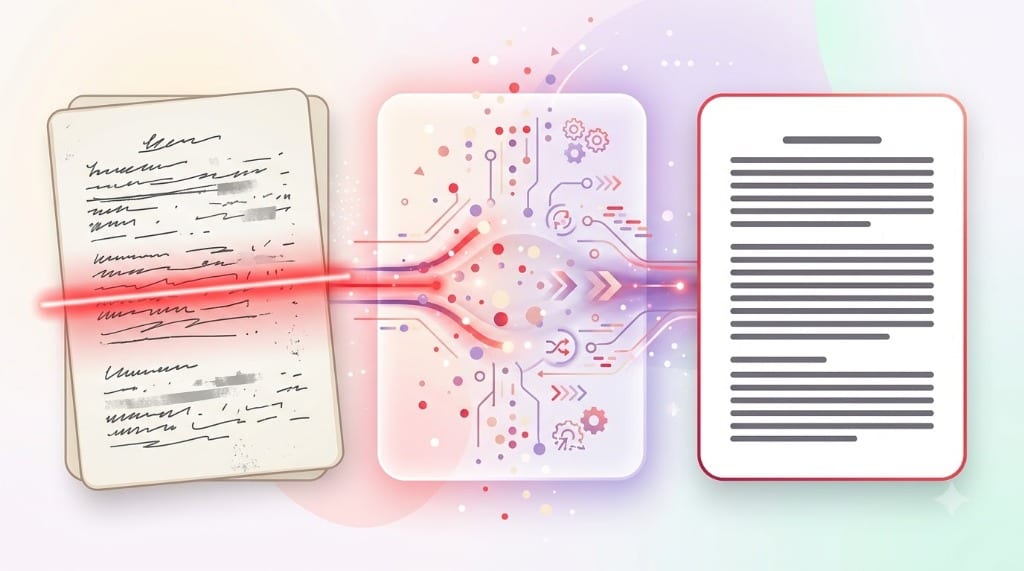
OCR software scans a bitmap image of printed text and creates an invisible, transparent text layer positioned directly on top of the image. This layer is notorious for formatting flaws:
- Rotational Skew: If a scanned page is rotated by even 0.5 degrees, the baseline Y coordinates drift across the line, causing OCR software to split single sentences into multiple micro-lines.
- Hyphenation Fragmentation: Printed books frequently break words with end-of-line hyphens. OCR engines often encode these as literal hyphens followed by a line break, resulting in severed words like
micro- \n processor. - Unintended Space Insertion: Imperfect kerning recognition often causes OCR engines to insert spaces between individual letters (e.g.
c o n t r a c t) or drop spaces between words (e.g.theagreement).
To clean OCR scanned excerpts without manually editing thousands of lines, check out our practical walk-through on How to Clean Up Text Copied from a PDF.
How Smart Line Break Removal Algorithms Solve the Problem
Because PDF readers will never possess true psychic knowledge of an author's original paragraph structure, automated cleanup tools must reverse-engineer the semantic flow using linguistic algorithms.
Here is how our Smart PDF Line Break Remover reconstructs clean text:
Terminal Punctuation Analysis
The algorithm examines the character preceding each newline. If the line ends without terminal punctuation (. ! ? : " ), the break is classified as an artificial wrap and removed.
Hyphen Stitching
If a line concludes with a hyphen followed by a lowercase letter on the next line, the hyphen and newline are stripped, reuniting the split word.
Paragraph Gap Preservation
True paragraph breaks (distinguished by double newlines or significant whitespace indents) are protected from deletion so your essay or contract structure remains intact.
Whitespace Normalization
Non-breaking spaces, trailing tabs, and erratic double spacing are collapsed into clean, standard ASCII single spaces.
Frequently Asked Questions
Can PDF files ever support reflowable text like an ePub or HTML file?
Why does copying a table from a PDF turn into a single jumbled column?
What is the fastest way to fix broken lines from a copied PDF?
Explore Related Guides & Tools
Smart PDF Line Break Remover →
Clean PDF passages directly in your browser with smart sentence recognition.
ExplainerLine Breaks vs. Paragraph Breaks (\n vs \n\n) →
Deep dive into ASCII control codes, CRLF sequences, and typesetting semantics.
ResearchLaTeX, BibTeX & Academic Papers →
Address broken lines in PDF abstracts, journal citations, and preprint formatting.